v1.3.0 — Now with Google Calendar Sync

The Focus App Your
ADHD Brain Actually Wants

Stop fighting your brain. Flow works with your hyperfocus — gamified sessions, recalibration pulses, and a Dopamine Jar that makes winning feel electric.

✦ 7-day free trial ✦ No credit card required ✦ Cancel anytime
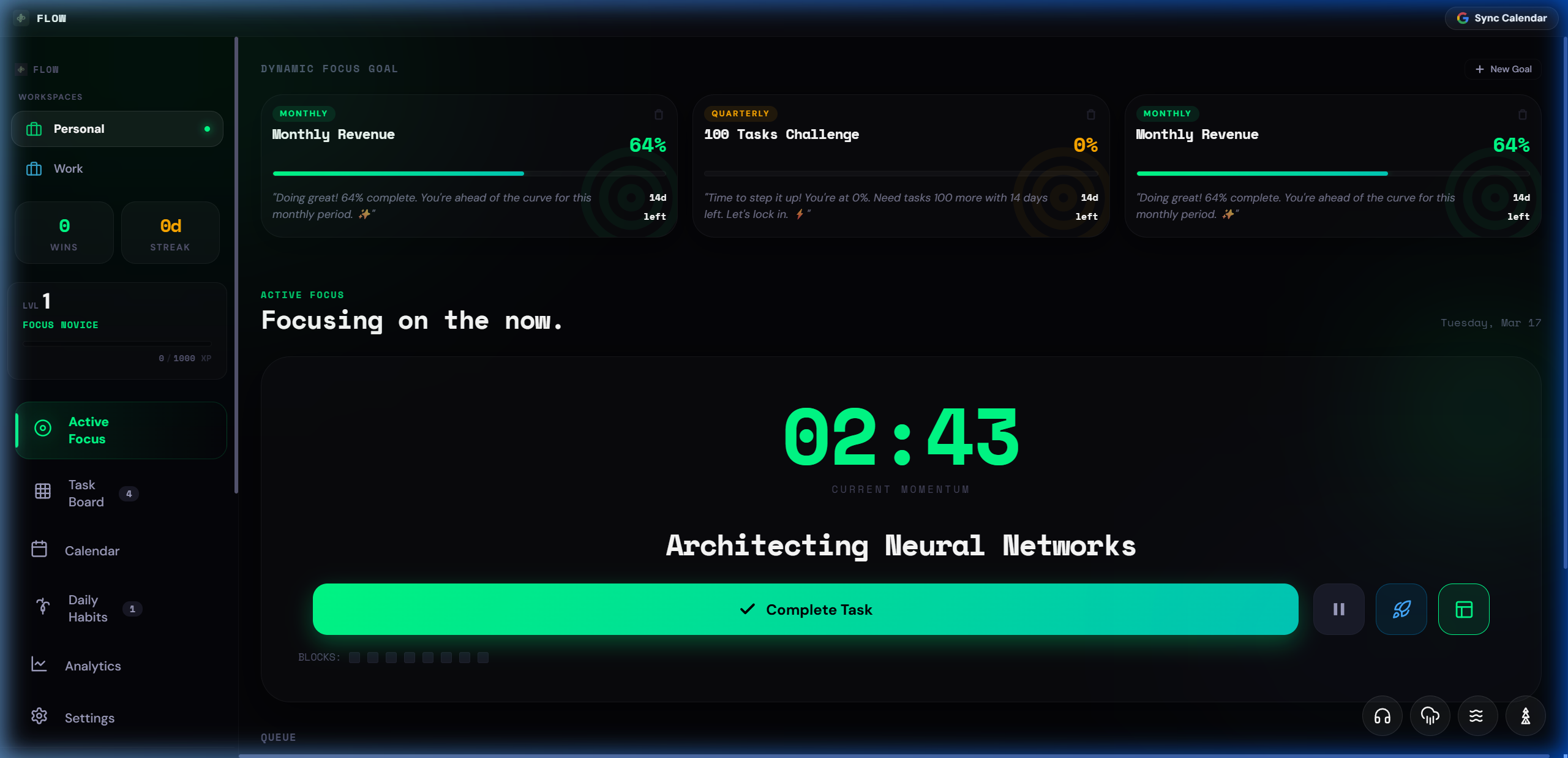
Flow Active Focus View
3,200+ Downloads
4.9/5 Average Rating
48 min Avg. Daily Focus
87% Task Completion Rate

The ADHD Reality

Normal Apps Fail You.
Flow Doesn't.

😵

"Other apps: Set a 25-min timer and just focus."

Flow: Recalibration sound every 10 min. You drift, it brings you back. No panic.

🏆

"Other apps: Check off your task."

Flow: Apple Pay sound, XP explosion, level-up animation. Your brain gets a reward every time.

📅

"Other apps: Plan your whole week in advance."

Flow: One task at a time. Command Palette. Just press Ctrl+K and go.

The System

Three Steps to Deep Work

01

Add Your Task

Hit Ctrl + K from anywhere. Type your task, set priority, estimate time. Done in 5 seconds.

02

Enter Focus Mode

Click into Active Focus. Your task fills the screen. Recalibration pulses keep you locked in every 10 minutes.

03

Collect Your Wins

Complete the task. Get XP, fill your Dopamine Jar, and watch your streak grow. Repeat.

The Full Arsenal

Everything Built for Your Brain

Active Focus View

Single-task dashboard. One objective, zero distractions. Subtask management without visual clutter.

🔔

Recalibration Pulse

Plays a sound every 10 min. You drift — it brings you back. No panic, no guilt. Just flow.

🧪

Deep Work Mode

One click mutes your OS audio and creates a digital sensory deprivation environment.

XP & Levels

Gain XP for every focus block. Level up from "Focus Novice" to "Zen Focus Master".

💰

Dopamine Jar

Coins for every win. Watch your daily jar fill. Combo multipliers for consecutive completions.

🛡️

Floating Widget

Always-on-top mini controller. Current task stays visible across all your apps.

🗓️

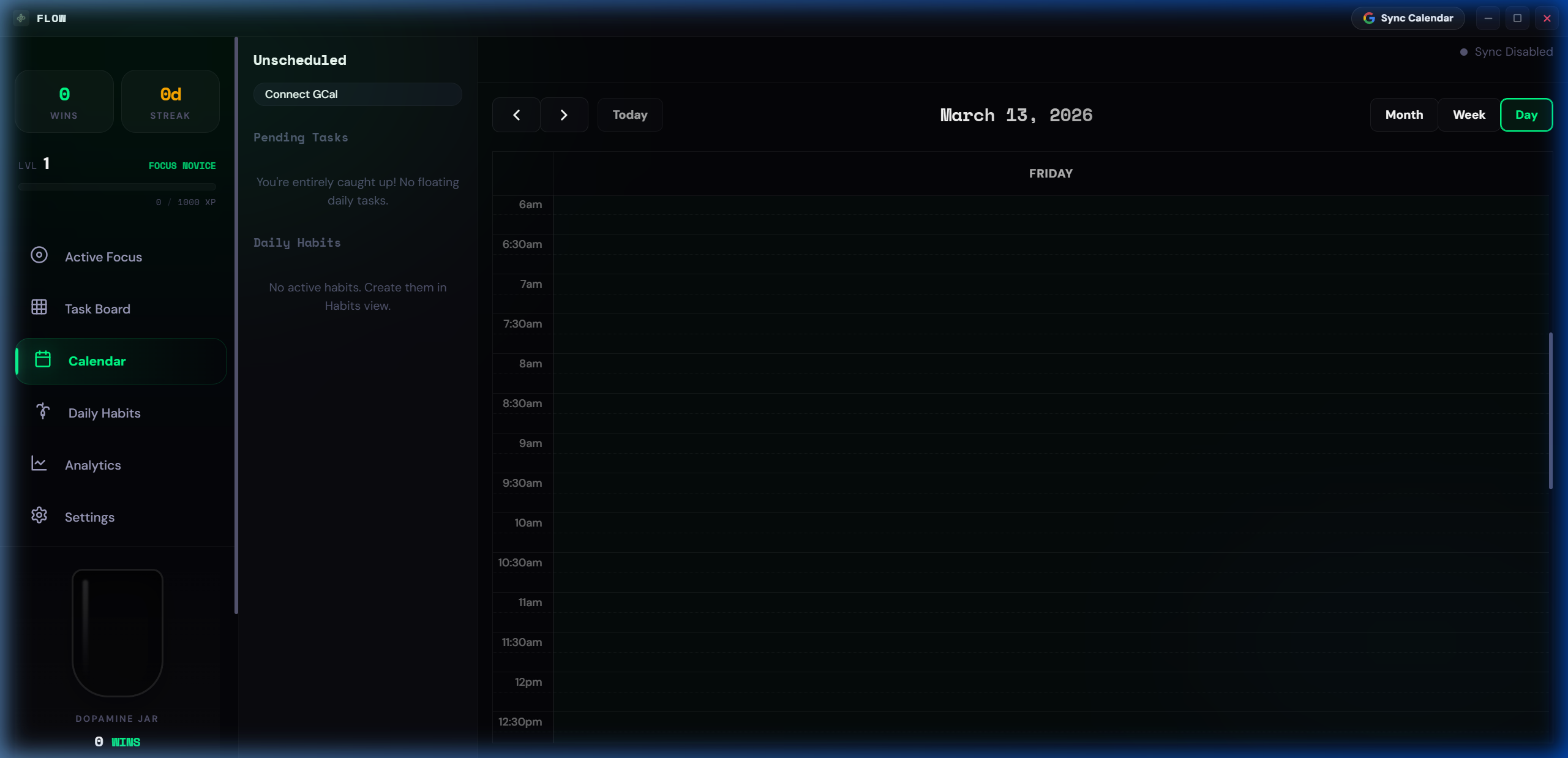
Google Calendar Sync

Full 2-way sync. Drag focus blocks onto your calendar. Stays in sync automatically.

💎

Command Palette

Ctrl + K to control everything. Add tasks, navigate, trigger focus — keyboard only.

📈

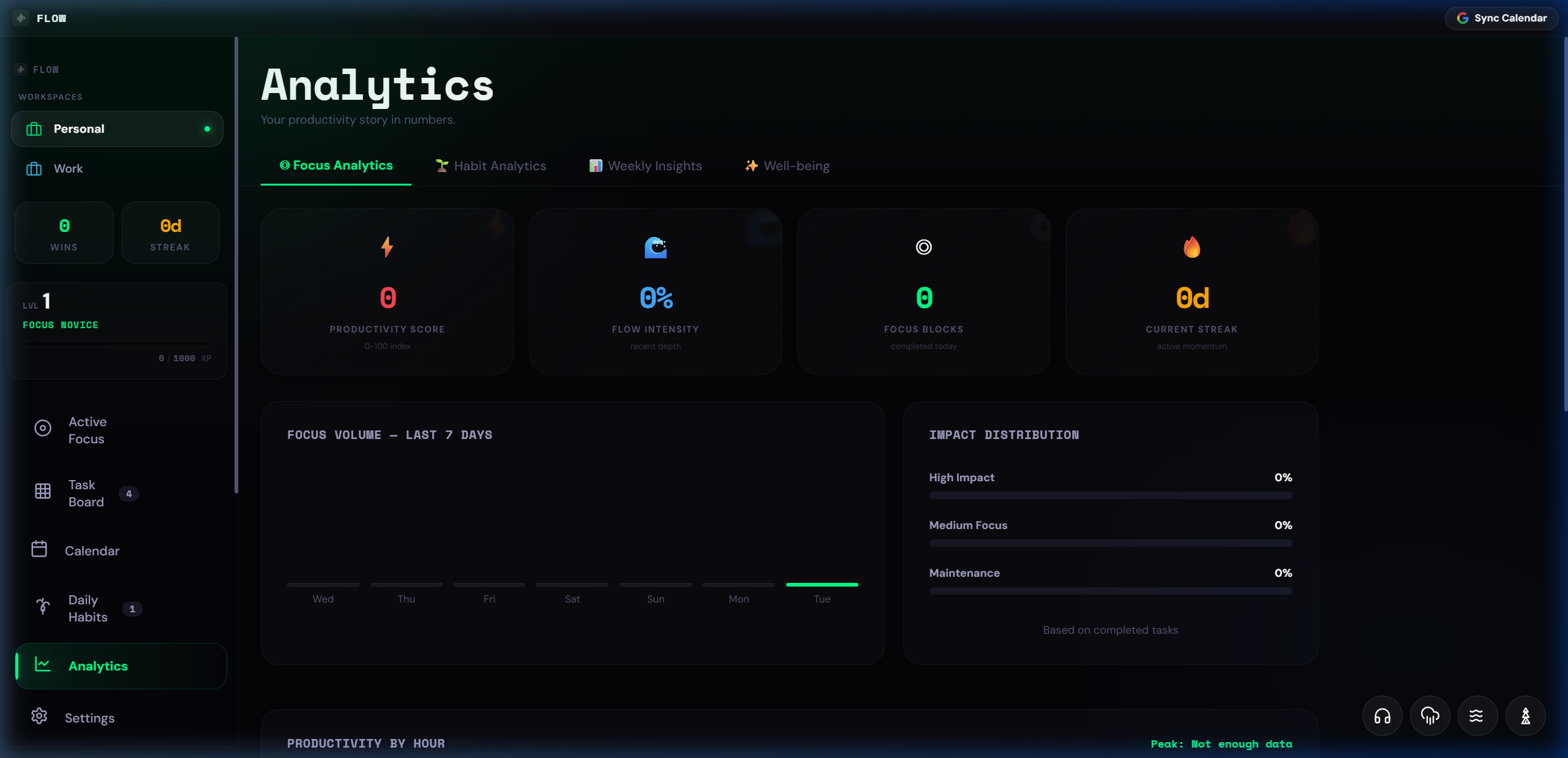
Analytics Dashboard

Estimated vs. actual time tracking. Beat time blindness and learn your true output speed.

🌱

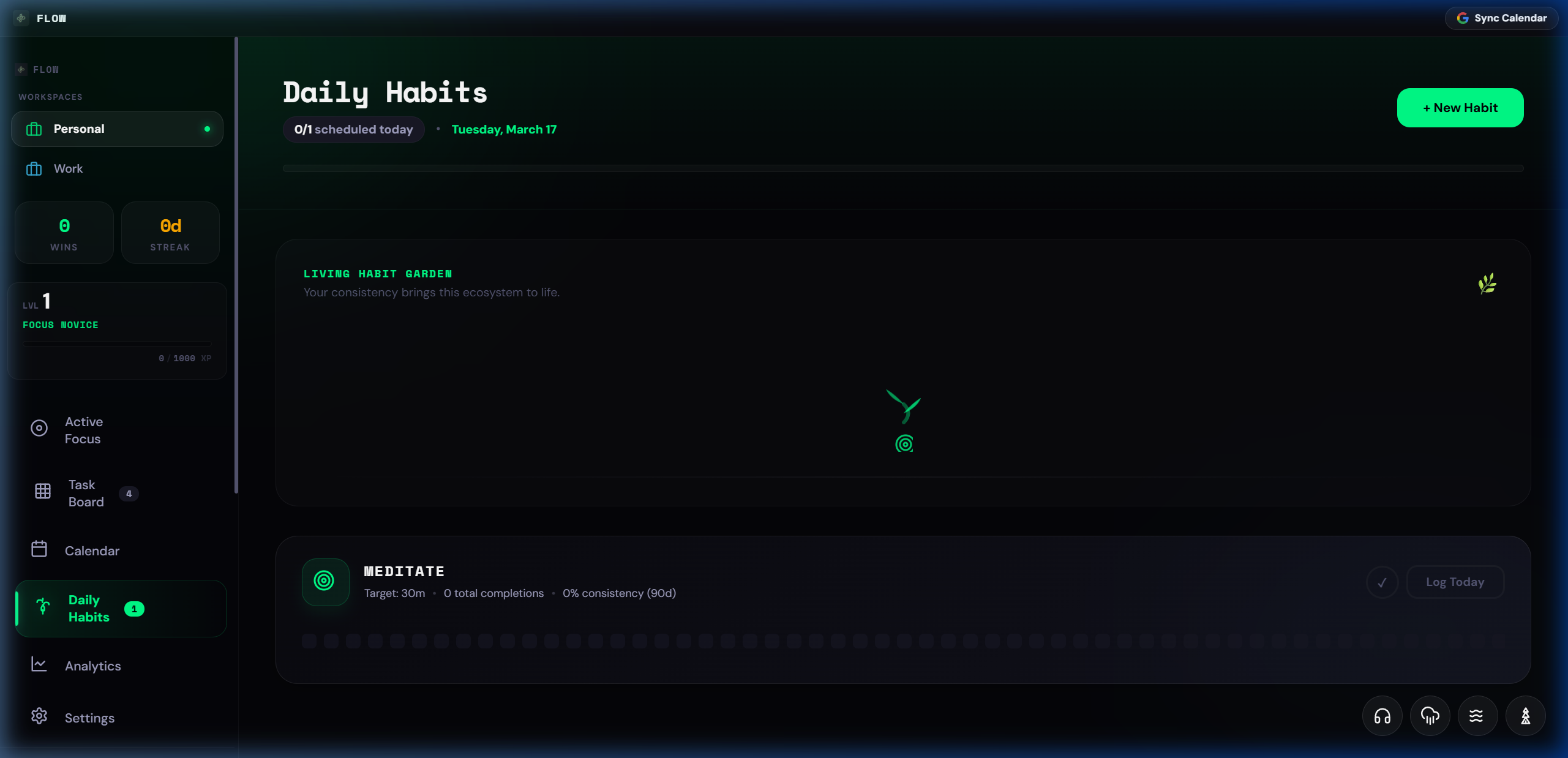
Habit Garden

Visual plants that grow with your streaks. Consistency has never looked this good.

🔊

Custom Soundscape

Rain, forest, ocean, custom files. Layer ambient sounds to build your focus ritual.

☁️

Cloud Sync

Your tasks, habits, and progress backed up and synced across devices automatically.

CONSISTENCY ENGINE

Build Unstoppable Habit Momentum

Consistency is the competitive advantage. Visual dopamine triggers keep your streaks alive even on low-energy days.

  • Heatmap consistency tracking
  • Real-time streak visualizations
  • Habit garden that grows with you
  • Dopamine-first reward system
Habit Garden View
Unified Calendar View
PRO FEATURE

Your Schedule, Unified

Full Google Calendar integration. Drag your focus blocks directly onto your schedule. See meetings and tasks together.

  • Full bi-directional Google Sync
  • Drag-to-schedule focus blocks
  • Never miss a meeting mid-flow

Simple Pricing

Start Free. Stay Focused.

7-day free trial, no credit card required. Cancel anytime.

$5/mo

Monthly

Full access, no commitment.

  • 7-Day Free Trial
  • All Premium Features
  • Google Calendar Sync
  • Cloud Backup
  • Cancel Anytime
🛡️
30-Day Money Back Guarantee

Not satisfied? Email us within 30 days for a full refund. No questions asked.

Common Questions

Everything You Need to Know

Is Flow only for people with ADHD?

No — Flow is designed with ADHD brains in mind, but anyone who wants to do deep work without distractions benefits from it. The gamification and audio cues work for everyone who struggles to stay on task.

What platforms is Flow available on?

Currently Windows 11 desktop only. The app is built with Electron for a native experience. macOS and mobile versions are on the roadmap.

How does the free trial work?

You get 7 days of full Pro access — no credit card required. After the trial, you choose a plan or stay on the free tier with basic features.

Does Google Calendar sync work automatically?

Yes. Once you connect your Google account in Settings → Integrations, any task you schedule on the calendar syncs to Google Calendar instantly. Changes in Google Calendar also pull back into Flow.

What happens to my data if I cancel?

Your data is always yours. We store everything securely in the cloud and you can export it at any time. Cancelling only removes Pro features — your tasks and history stay intact.

Can I use Flow offline?

Yes. The app works fully offline — tasks, timer, and habits all work without internet. Your data syncs automatically the next time you connect.

Ready to do your best work?

Join thousands of high performers who stopped fighting their brain and started flowing.

Download Free View Plans

Windows 11+ · Free 7-day trial · No credit card

Flow

Welcome Back

Sign in to your Flow account

or continue with email
Don't have an account?